

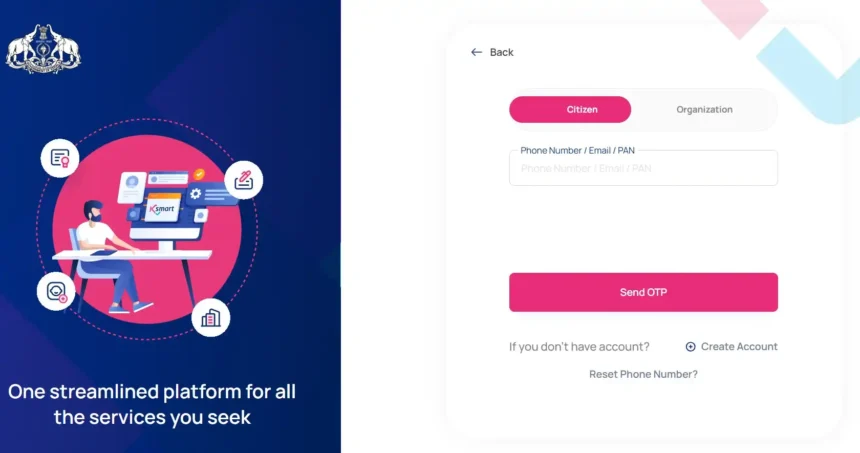
K-Smart login is an ambitious digital platform for the Local Self Government Institutions (LSGD) of the Government of Kerala , which has become fully operational from 1 January 2024. In 2025, this portal has changed the direction of governance , where citizens, employees and business entities can access more than 23 services at a single click. This article provides detailed information about the comprehensive guide, innovative features and security measures of ksmart login .
What is K-SMART?
K-SMART Login (Kerala Solution for Managing Administrative Reformation and Transformation) is a comprehensive e-governance platform, which integrates the features of ERP, GPR and CRM. The platform is built on UPYOG (Urban Platform for Delivery of Online Governance), which is part of the National Urban Digital Mission (NUDM).Ksmart login uses microservice architecture, AI/ML, IoT, Blockchain and DevOps engineering, which makes it future-ready .
Launched with 14 modules in the first phase, the portal is now adding more modules like Citizen Welfare, Revenue Management, Meeting Management, Public Infrastructure and Surveys in the second phase.
Steps for K-SMART Login
The ksmart login process differs according to the user type. Below are the steps for all three types of users:
Citizen Login
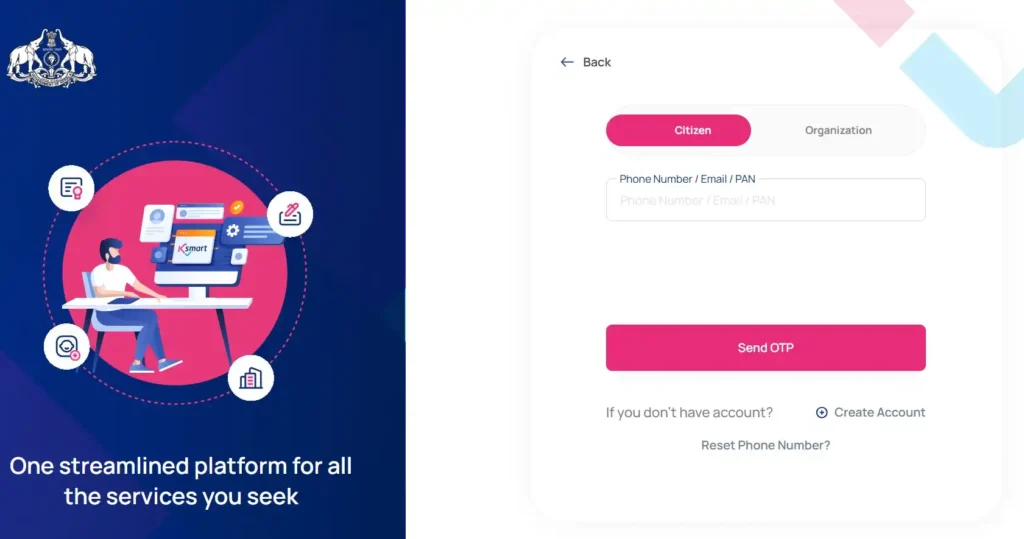
- Open ksmart.lsgkerala.gov.in in a web browser .
- Click on the “Login” option on the homepage.
- Select “Citizen Login”.
- Enter your Phone Number / Email / PAN Login ID.
- Click on the “Send OTP” button.
- Enter the 6-digit OTP received on the mobile .
- Click on “Verify and Login”.
This step will take you to your citizen dashboard, from where you can get services like birth and death certificates , marriage certificates, property tax payments, etc.
Employee Login
- Select “Employee Login” on the ksmart login page.
- Enter your PEN / GPEN (Personal Employee Number).
- Press the “Send OTP” button.
- Enter the OTP received on the registered mobile.
- After login you can access features like file tracking , HRMS, digital file management etc.
Organization Login
- Click “Organization Login” on the ksmart login homepage.
- Enter Phone Number / PAN .
- Select the organization name and “Send OTP”.
- After entering the OTP you can access license applications , business facilities, and other organization-centric services.
K-SMART Registration (Sign Up) Process
For new users, it is necessary to register first for ksmart login . Follow the steps below:
- Select the “Register” option on the homepage.
- Select Aadhaar Number or “Other Method”.
- If you choose Aadhaar, verify through OTP.
- Enter personal details like Full Name , Date of Birth, Gender.
- Enter registered mobile number and email ID.
- Create a strong password (at least 8 characters, one uppercase, one lowercase, one number and one special character).
- Select and answer security questions.
- Click on “Complete Registration”.
After registration is complete, you will receive a confirmation email for ksmart login .
K-SMART Login Forgot Password
If you have forgotten your ksmart login password, you can recover it by following these steps:
- Click on “Forgot Password?” on the ksmart login page.
- Enter your Registered Mobile Number or Email.
- Click on the “Send OTP” button.
- Enter the OTP received on the mobile.
- Create a new password and confirm it.
- Click on “Update Password”.
After this process, you can login to ksmart with the new password.
K-SMART Mobile App
A mobile app is also available for ksmart login , which works on both Android and iOS platforms. Key features of the app:
- One-Stop Access : All services in one app.
- Quick Certificates : Download birth, death, marriage certificates instantly.
- Property Tax Payment : Pay property tax online .
- Building Permit Tracking : Track the status of building permits.
- WhatsApp Integration : Get updates directly through WhatsApp.
The app has a 4.2 rating on the Google Play Store and has over 5 lakh downloads.
Key features of K-SMART Login
After ksmart login , users get the following unique features:
HRMS (Human Resources Management System)
A complete digital HR solution for employees that includes Leave Management, Payroll, Attendance, and Promotion Tracking.
Digital File Management System
Complete module for tracking files , digital signing, and workflow automation.
Property Tax Module
Modern property tax assessment, online payment and appeal management.
Civil Registration
Online registration of birth, death and marriage , with Video KYC.
Building Permission
Automated checking of building plans through GIS-Integrated EDCR Rule Engine .
Security and privacy
Security for ksmart login is very strict :
- Aadhaar Integration : Ensures biometric authentication.
- SSL Encryption : All data transmission remains encrypted.
- Role-Based Access : Different Access Levels for each user.
- Audit Trail : A log of every transaction is maintained.
- Data Privacy : GDPR compliant policies have been adopted.
Benefits and effects
Because of ksmart login :
- Time Saving : Citizens save 10-15 visits.
- Transparency : Real-time status of each application is visible.
- Corruption Reduction : The need for middlemen has decreased.
- Digital Literacy : Digital awareness has increased in rural areas.
“K-SMART has revolutionized how citizens interact with local governments, making services accessible at their fingertips,” said a senior official.
FAQs
Is Aadhaar mandatory for K-SMART Login?
Yes, Aadhaar-based registration is mandatory for citizens, but other methods are also available.
Is the mobile app for K-SMART Login secure?
Yes, the app uses SSL encryption and OTP authentication.
How many services are available after K-SMART Login?
50+ services in 23+ modules like birth certificate, property tax, building permit, HRMS etc.
Is there any fee for K-SMART Login?
Most services are free, but some services incur a nominal charge.
Who should I contact to resolve the ksmart login issue?
For Helpdesk contact mail.ikm@kerala.gov.in or +91 471 2773100.
What is the session timeout range for ksmart login?
For security reasons, there is an automatic logout after 15 minutes of inactivity.


