You’ve come back from a trip with hundreds of clips and thousands of photos — and absolutely no idea how to turn them into something people will actually want to watch. The footage is good. The problem is structure, pacing, and the kind of polished motion that makes vacation videos feel cinematic rather than clunky.
Pollo AI is a practical option for adding movement and polish to trip footage, and using an AI animation generator for travel videos gives you access to animated map sequences, smooth transition effects, and stylized text overlays that can transform a raw collection of clips into a coherent visual story.
Organize before you edit
The worst thing you can do with travel footage is dump it all into a timeline and start cutting. Instead, spend 20 minutes sorting your clips by location and time of day before you open any editing tool. Create rough folders: arrival, landmarks, food, nightlife, departure. This mental map makes the editing process twice as fast and the final result far more structured.
Choose a narrative arc, not a diary format
A diary-style edit (“first we did this, then we did that”) works fine for family archives but rarely engages outside viewers. Instead, build toward something: a climactic moment, a stunning landscape reveal, or an emotional payoff. Structure your montage the way a short film would — setup, rising action, peak, and resolution.
Use music as your editing spine
Pick your track before you cut a single clip. The music’s tempo, mood, and structure should dictate your pacing. Cut on the beat. Let quiet sections breathe. Use instrumental builds to lead into visual peaks. The music tells your subconscious where the energy should rise and fall — trust it and cut accordingly.
Add animated map sequences for context
Viewers who weren’t on the trip need geographic context to feel oriented. A simple animated map showing your route — country to city to landmark — takes under two minutes to create with the right tool and immediately makes the video feel more produced and intentional.
Color grade for consistency
Different cameras, different times of day, and different lighting conditions create footage that feels visually disjointed in the edit. A light color grade — pulling all clips toward a warm or cool shared palette — unifies the visual tone in a way that makes the final edit look deliberate rather than accidental.
Trim ruthlessly
The most common mistake in travel montages is length. If a clip doesn’t add information, emotion, or energy, it gets cut. A four-minute travel video with great pacing will outperform a twelve-minute version every time. A good rule: if you’re not sure whether to cut a clip, cut it.
Export with captions and location tags
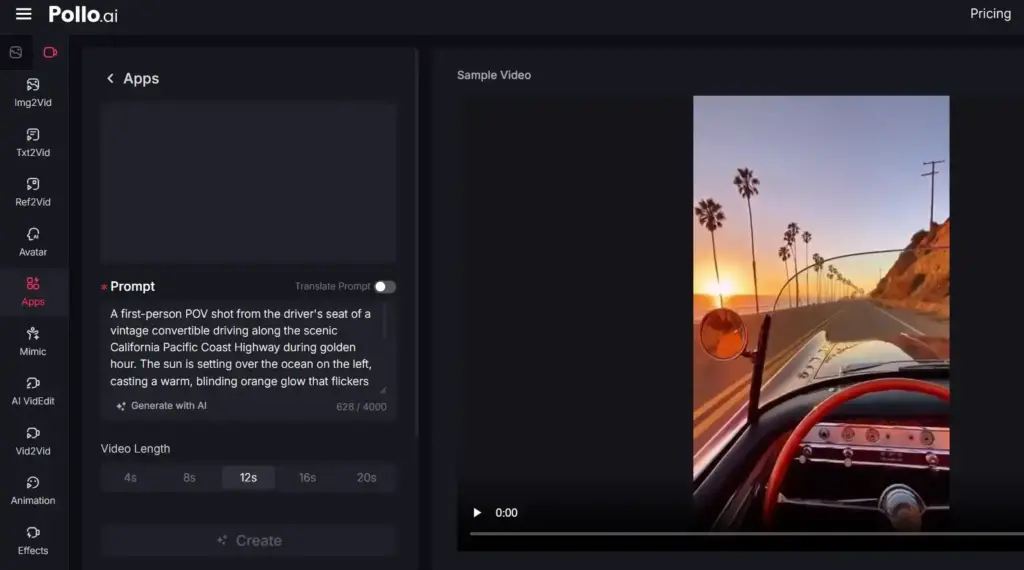
If you’re publishing on social media, captions and location metadata significantly increase reach. A good travel video maker will handle platform-specific exports while preserving the quality of your color-graded, motion-enhanced edit — so you’re not compromising the final look to meet a platform’s format requirements.
Travel videos are personal by nature, but the ones that get shared are the ones that tell a story worth following. Start with structure, let the music guide your cuts, and let AI handle the polish.
One often-overlooked finishing step is audio pacing. Even the most visually polished travel montage can feel amateur if the cuts don’t breathe with the music. Before your final export, mute the video and listen to your soundtrack alone — identify every beat drop, swell, and pause. Then re-watch with the audio on and check that your hardest cuts land on the strongest beats, while slower dissolves align with quieter musical phrases. This single pass of audio-driven trimming is responsible for much of the “professional” feeling viewers describe without being able to articulate why. If you find your original footage isn’t long enough to sustain the rhythm you want, consider generating short cinematic transitional clips — sweeping aerials, atmospheric B-roll, slow-motion texture shots — using an AI video tool to bridge scenes. Pollo AI’s video generation capabilities, for example, can produce stylistically consistent filler footage from a still image or prompt, letting you extend a sequence without a return trip to the destination.
The final quality check before sharing should always be a playback on a device smaller than the one you edited on — a phone screen reveals compression artifacts, text that’s too small to read, and color grading that looked fine on a calibrated monitor but reads as flat or oversaturated on mobile. Export at the highest quality your platform allows, then let the platform’s own compression do its work rather than pre-compressing yourself. For creators who want an extra layer of polish on footage that wasn’t shot in ideal conditions — correcting lens distortion, stabilizing handheld shots, or upscaling lower-resolution clips — AI-assisted tools have made these corrections faster and more accessible than they’ve ever been. Platforms like Pollo AI have expanded into this kind of enhancement work, offering creators a practical path to closing the gap between what the camera captured and what the audience actually sees.