

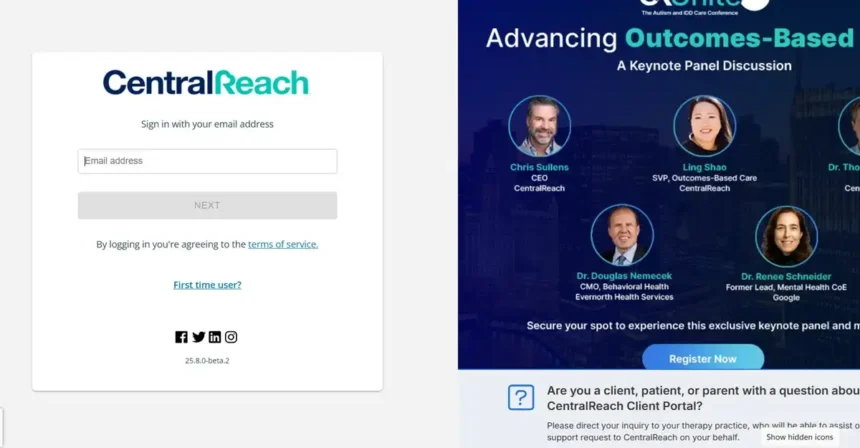
CentralReach Login has become a cutting-edge digital solution for autism and intellectual developmental disabilities (IDD) care providers.
This AI-powered platform is used by over 185,000 professionals and over 4,000 ABA (Applied Behavior Analysis) and multidisciplinary practices worldwide to manage their daily operations.
We provide a complete guide on the details of CentralReach Login, its latest features, and how to use it.
What is CentralReach?
CentralReach is the world’s #1 AI-powered software platform for autism and IDD care , designed for ABA practices, multidisciplinary practices, and PreK-12 special education.
The platform provides lifelong care management for individuals with autism and IDD – at home, at school, and in the workplace.
“Our mission is to help children and adults with autism and IDD unlock their potential, achieve better outcomes, and live more independent lives,” according to CentralReach’s mission statement.
Smartkeeda Login & Complete Online Guidance
How to CentralReach Login
The CentralReach Login process is secure and easy:
- Go to login.centralreach.com in your browser .
- Enter your email address .
- Click the “NEXT” button.
- Enter your password .
- If two-step verification is enabled, enter the code received on your registered device.
- Log in to your CentralReach dashboard by clicking the “LOGIN” button.
Creating a new account on CentralReach
CentralReach account creation process for new users :
- Your organization must have a CentralReach license.
- An account will be created for you by the institution’s administrator .
- You will receive an email verification link .
- After completing verification, set your password.
- Follow these steps to login for the first time.
CentralReach Mobile App Login
To login through CR Mobile App :
- Download the CR Mobile App from the Google Play Store or Apple App Store .
- Your organization must have CR Mobile permission.
- Open the app and click “LOGIN“.
- Enter your CentralReach email and password .
- After successful login, you will be able to work offline as well.
Ayuslab Login & Diagnostic Lab Management
Resetting CentralReach password
If you have forgotten your password :
- Go to login.centralreach.com and click “Forgot Password?”.
- Enter your email address .
- Verify the “I’m not a robot” reCAPTCHA.
- Click the “RESET” button.
- Click on the password reset link received in your email .
- Set a new password that must contain at least 8 characters, one upper case, one lower case, one number, and one special character.
CentralReach AI Features: cari™
In 2025, CentralReach introduced the cari™ (CentralReach AI) assistant to their platform , which is trained on over 1 billion data points with 40+ BCBAs. This AI assistant provides the following features:
- ScheduleAI® : Staff and Client Scheduling Through Intelligent Automation
- NoteDraftAI™ : Real-time notes generation from session details
- NoteGuardAI™ : 100% note security and error checking
- ClaimCheckAI® : Claim auditing to reduce denials
- ClaimAcceleratorAI™ : Automated routing of clean claims for faster payment
CentralReach Login Problems and Solutions
In 2025, some common issues have appeared with CentralReach Login :
- “No healthy upstream” error messages
- Metadata loading issues
- Connection errors and timeouts
- Data sync failure in mobile app
To solve these problems:
- Submit a support ticket with your administrator.
- Clear browser cache and cookies.
- Try using an alternative browser.
CentralReach Support and Help Resources
CentralReach provides extensive help resources:
- community.centralreach.com: Feature guides, video tutorials, and release notes
- institute.centralreach.com/support: CR LMS Product Support
- support.crprecisionx.com: CR PrecisionX Support
The Future of CentralReach: CR Unite 2025
CentralReach is hosting the 7th Annual CR Unite Autism and IDD Care Conference in Chicago on October 20-22, 2025. The event will showcase the latest industry advancements shaping the future of autism and IDD care.
Baldealer Login & A Complete Guide
FAQs
Can I use CentralReach for free?
No, CentralReach is a paid service and your organization must have an active license.
What should I do if my password doesn’t work?
Reset your password using the “Forgot Password?” link or contact your administrator.
Does the CentralReach mobile app work offline?
Yes, the CR Mobile app features offline data collection and session notes.
Which browsers are supported with CentralReach?
The latest versions of Chrome, Firefox, Safari, and Edge browsers are supported.
Who can I contact for CentralReach login issues?
Submit a support ticket to your organization’s CentralReach administrator or at community.centralreach.com.



























