


If you study with the National Open University of Nigeria, the elearn.nou.edu.ng login page is where much of your coursework begins. It is the entry point to NOUN’s Learning Management System, where courses, materials, and activities live in one place.
We found that many students confuse this portal with the university’s other systems. That confusion is common, and it is worth clearing up before you sign in.
Our team observed three separate NOUN platforms in active use. Each serves a different purpose, and knowing which one you need saves time.
Our analysis suggests most access problems come down to a single issue: students trying to log in to the wrong system, or with credentials that were never activated by the university. This guide walks you through each step in plain language.
Key TakeawaysThe elearn.nou.edu.ng login connects you to NOUN’s Moodle-based Learning Management System, where your enrolled courses appear.There is no public self-signup. Accounts are created and enrolled by the university, so your login details come from NOUN.Forgotten passwords are reset at elearn.nou.edu.ng/login/forgot_password.php using either your username or your registered email.
What Is the NOUN eLearning Portal?
The portal is NOUN’s online learning platform. It is built on Moodle, the same open-source system used by many universities worldwide.
You can reach it at elearn.nou.edu.ng. Once you sign in, your enrolled courses appear on your dashboard at your courses page.
If you have been following Nigerian e-learning, this setup will look familiar. Moodle powers a large share of the country’s university portals.
The homepage also carries a student video guide. It shows you how to log in and move around the course page, and you can watch it directly on the site.
Here is a quick reference for the platform.
Platform Overview Table
| Detail | Information |
| Institution | National Open University of Nigeria (NOUN) |
| Portal Type | Moodle Learning Management System (LMS) |
| Main Login URL | elearn.nou.edu.ng |
| Course Dashboard | elearn.nou.edu.ng/my/courses.php |
| Forgot Password Page | elearn.nou.edu.ng/login/forgot_password.php |
| Alternate Learning Space | mylearningspace.nou.edu.ng/user/login |
| Video Guide | Available on the homepage |
How Do You Sign Up or Register for the NOUN eLearning Portal?
This is the point that trips up most new students. NOUN does not offer public self-registration on the eLearning portal.
You cannot create your own account with a “Sign Up” button. Accounts are generated by the university after you complete admission and registration.
The key distinction is this: your login credentials are issued to you, not chosen by you at first sign-in. This keeps student records controlled and tied to official enrollment.
Here is how the process works in practice.
| 1 | Complete your admission and course registration through NOUN’s official student channels. |
| 2 | Wait for the university to create your LMS account and enroll you in your courses. |
| 3 | Collect your username and initial password from your study centre or official NOUN communication. |
| 4 | Visit elearn.nou.edu.ng and sign in with the details provided. |
| 5 | Update your password after your first login to something only you know. |
A note worth remembering: if your courses do not appear after login, it usually means enrollment is still being processed. It does not necessarily mean your account is broken.
How Do You Login via elearn.nou.edu.ng?
The standard login uses your NOUN-issued username and password. This works on any modern browser, on a phone or a computer.
We tested the sequence to confirm each step. Follow it in order.
| 1 | Open elearn.nou.edu.ng in your browser. |
| 2 | Locate the login area on the page. |
| 3 | Enter your username issued by NOUN. |
| 4 | Enter your password in the field below. |
| 5 | Select the Log in button. |
| 6 | You are taken to your personal dashboard, where enrolled courses appear. |
One quick tip: enable cookies in your browser. We found that Moodle logins can fail when session cookies are switched off.
If your dashboard reads “You’re not enrolled in any courses,” your login worked. The message simply means enrollment has not been applied yet.
How Do You Reset a Forgotten Password at elearn.nou.edu.ng?
Forgetting a password happens to almost everyone. The reset process is straightforward, and you have two ways to start it.
The reset page lives at elearn.nou.edu.ng/login/forgot_password.php. You can search by username or by email address.
Here is the flow we walked through.
| 1 | Go to the forgot password page. |
| 2 | Choose Search by username or Search by email address. |
| 3 | Enter your NOUN username in the first option, or your registered email in the second. |
| 4 | Submit the form. |
| 5 | Check your email inbox for a reset link from the system. |
| 6 | Open the link and set a new password to regain access. |
Important: the reset only works if the details match what NOUN holds in the database. If no email arrives, contact your study centre, because your registered email may be missing or incorrect.
How Do You Login to MyNOUNLearningSpace?
NOUN also runs a second platform called MyNOUNLearningSpace. It is a separate system with its own login.
You can reach it at mylearningspace.nou.edu.ng/user/login. The two portals are distinct, so credentials for one do not automatically work on the other.
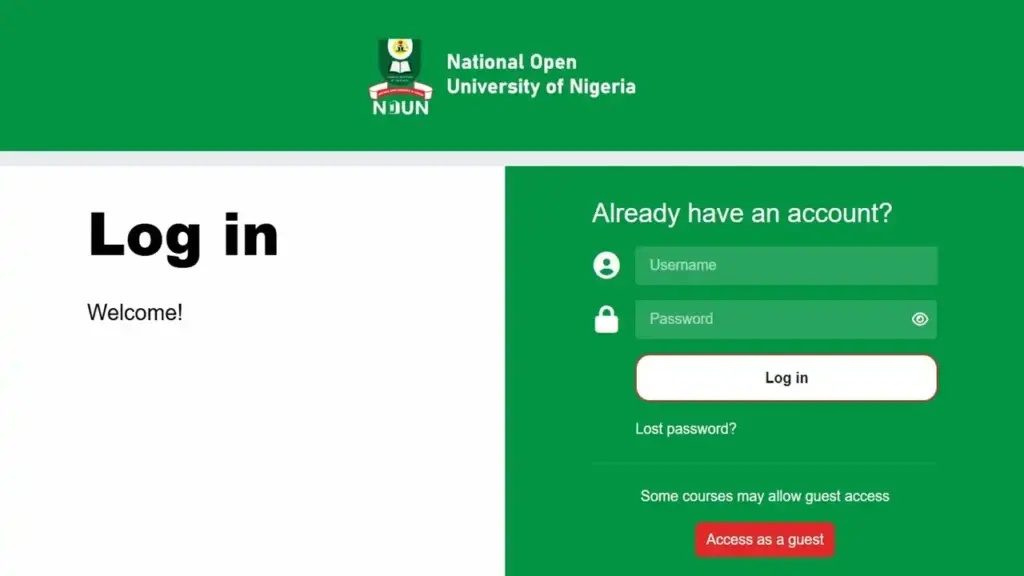
Here is how to sign in there.
| 1 | Open mylearningspace.nou.edu.ng/user/login. |
| 2 | Enter your MyNOUNLearningSpace username. |
| 3 | Enter the password that goes with that username. |
| 4 | Select the login button to continue. |
| 5 | You are taken into your MyNOUNLearningSpace account. |
This does not mean you must use both systems. Which platform you use depends on how your programme and courses are set up by the university.
What Is the Difference Between the NOUN Portals?
Students often mix up the systems. Here is a plain comparison to keep them separate.
- The elearn.nou.edu.ng portal is the Moodle LMS where your enrolled courses and materials sit.
- The mylearningspace.nou.edu.ng portal is a separate learning space with its own credentials.
- The nouonline student portal handles other student services and currently redirects to the main NOUN site.
Our analysis suggests the safest habit is to bookmark the exact URL you need. This avoids landing on the wrong login screen.
Where Can You Get Help With Your Login?
Start with the video guide on the homepage. It demonstrates the login and how to navigate the course page, which resolves many first-time questions.
For account-specific problems, your study centre is the fastest route. They can confirm enrollment status and correct registration details that a self-service reset cannot fix.
This is worth stating plainly: password reset tools only work with details already in the system. Anything beyond that needs official NOUN support.
Frequently Asked Questions
Q1: What is the official elearn.nou.edu.ng login URL?
The portal is at elearn.nou.edu.ng. You sign in there with your NOUN-issued username and password.
Q2: Can I create my own account on the NOUN eLearning portal?
No. Accounts are created by the university after admission and registration. There is no public self-signup button.
Q3: How do I reset my elearn.nou.edu.ng password?
Visit the forgot password page, search by username or email, submit, and follow the reset link sent to your inbox.
Q4: Why does my dashboard say I am not enrolled in any courses?
Your login worked, but enrollment has not been applied yet. This does not mean your account is faulty; it usually means processing is still underway.
Q5: What type of system is the NOUN eLearning portal?
It is a Moodle Learning Management System. Moodle is a widely used open-source platform for online courses.
Q6: Is MyNOUNLearningSpace the same as elearn.nou.edu.ng?
No. They are separate platforms with separate logins. You can access MyNOUNLearningSpace at its own address.
Q7: Why won’t my elearn.nou.edu.ng login work?
Check that cookies are enabled in your browser. Session cookies must be on for Moodle logins to complete.
Q8: Where do I get my initial username and password?
Your details are issued by NOUN through your study centre or official communication after registration. You do not choose them yourself at first.
Q9: Is there a video that shows me how to log in?
Yes. A student video guide on the homepage shows the login and how to move around the course page.
Q10: What should I do if no password reset email arrives?
Contact your study centre. Your registered email may be missing or incorrect, which a self-service reset cannot fix.
We hope this makes your next elearn.nou.edu.ng login quick and clear. Whether you use the eLearning portal, MyNOUNLearningSpace, or the video guide, you now know which system to open and what to do at each step.


