

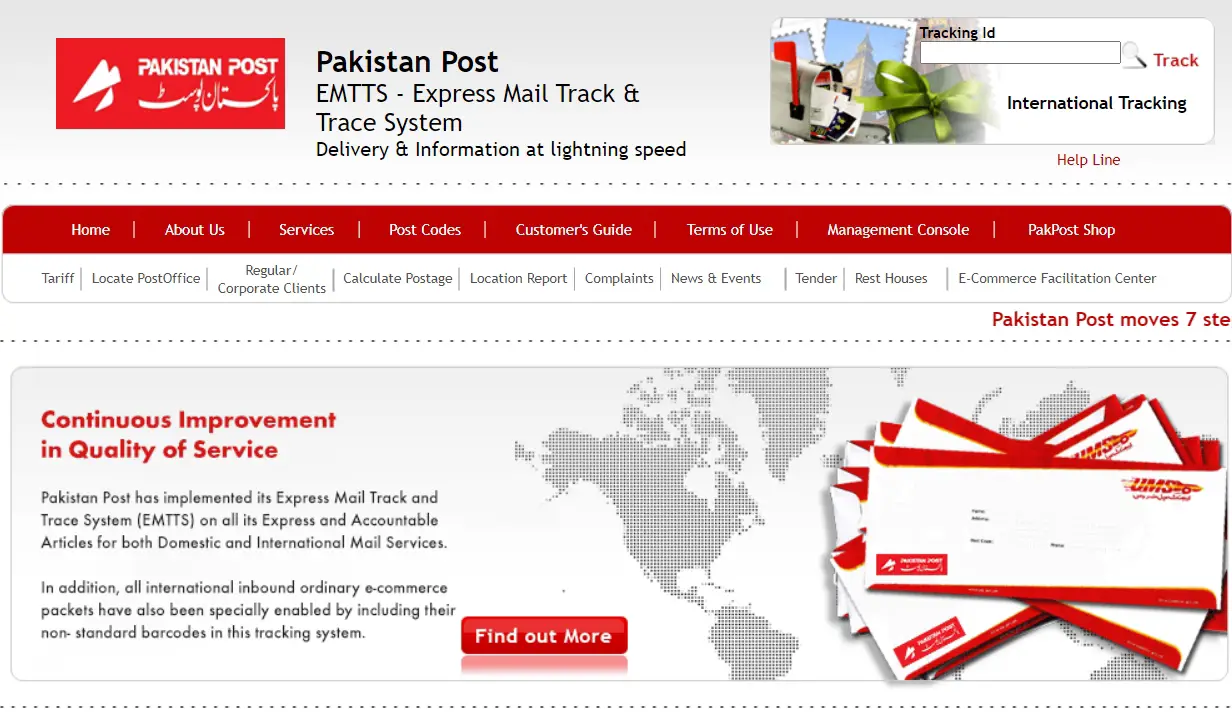
The EMTTS login portal is the gateway that Pakistan Post staff use to record, update, and monitor Express Mail movements across the country. If you’ve been searching for how it actually works, you’re in the right place.
Our team spent time verifying every official page so you don’t have to guess. What we found is surprisingly simple once you know where to look.
Key Takeaways
- EMTTS stands for Express Mail Track & Trace System, run by Pakistan Post.
- The staff login lives at emtts.dakkhana.com.pk, while public tracking happens at ep.gov.pk.
- Third-party apps exist, but only the government sites are official — a distinction that matters for your safety.
What Is EMTTS and Who Uses It?
EMTTS is Pakistan Post’s internal engine for delivery and information at lightning speed. It’s the backbone behind every express parcel that moves through the network.
Our analysis suggests two very different audiences use this system. Staff manage data through a secure member portal, while the general public only checks tracking status.
Here’s the key point. The member login at emtts.dakkhana.com.pk is built for postal employees, not customers.
If you’re a regular sender wanting to track a parcel, you don’t need a login at all. You simply use the public tracking page, which we’ll cover below.
How Do You Access the EMTTS Login Portal?
The staff portal is clean and straightforward. When we opened it, we saw a Member Login panel asking for basic credentials and a shift selection.
Industry insiders are noting that the shift field is what makes this system unique. Postal work runs in rotations, so the login ties each entry to a specific work window.
Step-by-Step: EMTTS Login for Staff
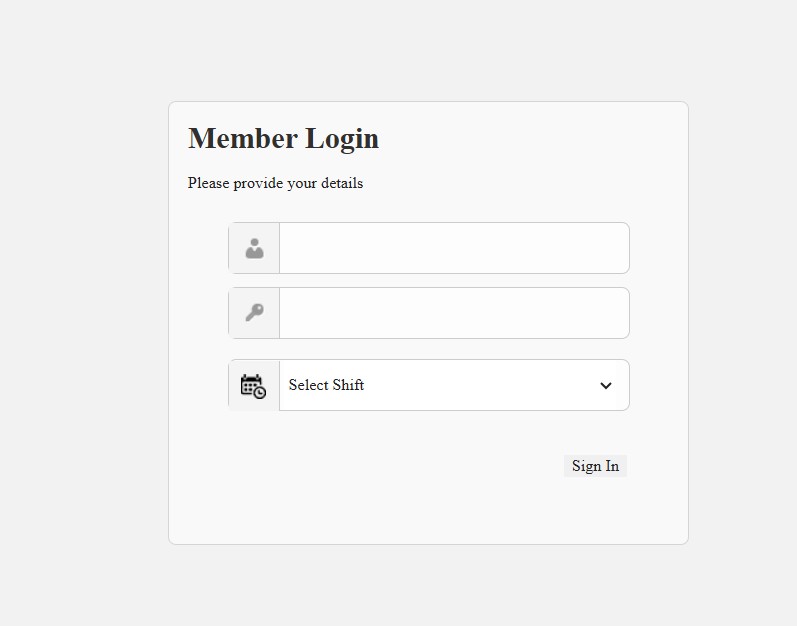
Follow these steps to sign in at the official member portal:
- Open your browser and go to https://emtts.dakkhana.com.pk/
- Wait for the Member Login panel to load fully.
- Enter your assigned username in the first field.
- Type your password carefully in the second field.
- Choose your correct shift from the dropdown menu.
- Tick “Keep me signed in” only on a private, trusted device.
- Click the Login button to enter the dashboard.
That’s it. Once inside, staff can process and update parcel records tied to their shift.
A quick warning from our desk. If you tick “keep me signed in” on a shared computer, you risk exposing sensitive postal data.
Is There a Public Signup for EMTTS?
This is where many people get confused. EMTTS accounts are not open to the public through a self-serve signup form.
Our team observed no customer registration page on the portal. Access is granted internally by Pakistan Post, not requested online.
Step-by-Step: How EMTTS Access Is Assigned
If you’re a Pakistan Post employee needing an account, here’s the realistic path:
- Speak with your branch or office supervisor first.
- Submit your staff details and role through your department.
- Wait for the IT or administrative team to create your credentials.
- Receive your username, password, and shift assignment.
- Test your first EMTTS login at emtts.dakkhana.com.pk.
No public link can shortcut this process. Any site claiming to offer instant EMTTS signup should be treated as suspicious.
We can’t stress this enough. Pakistan Post never asks for online payment to create or access tracking accounts.
What If You Forget Your EMTTS Password?
Password trouble happens to everyone. The EMTTS system does not offer a public “reset” email link like consumer apps do.
Instead, recovery runs through your official channel. That’s actually a security feature, not a flaw.
Step-by-Step: Recovering EMTTS Login Access
- Stop trying random passwords after a few failed attempts.
- Contact your office IT administrator or supervisor directly.
- Verify your staff identity as your department requires.
- Request a password reset for your EMTTS account.
- Collect your new temporary credentials securely.
- Log back in and change your password immediately if the system allows it.
Simple, but strict. This keeps unauthorized users out of the postal network.
For higher-level access, staff may also use the Management Console at https://ep.gov.pk/HQ/management_console.asp. That page routes into the management reporting login at https://dakkhana.com.pk/Login.aspx?message=unauthorize.
How Does the Public Track Parcels Without a Login?
Here’s the good news for everyday users. You don’t need any credentials to follow your shipment.
Just head to the official Pakistan Post site at https://ep.gov.pk/. Enter your tracking ID in the tracking box on the homepage.
Step-by-Step: Public Parcel Tracking
- Visit https://ep.gov.pk/ in any browser.
- Locate the Tracking Id field near the top.
- Paste your tracking number exactly as printed on your receipt.
- Submit and review your delivery status.
- Use International Tracking if your parcel crossed borders.
It really is that quick. No signup, no password, no fees.
What Are the Main Features of EMTTS?
If you’ve been following the postal-tech space, this won’t come as a surprise. EMTTS is designed for speed and accountability.
Here’s what the system brings to the table:
- Express Mail Track & Trace across Pakistan’s postal network.
- Real-time delivery status for dispatched, in-transit, and delivered items.
- Shift-based staff logins for accurate, accountable data entry.
- International tracking for cross-border shipments.
- Management reporting tools for supervisors and headquarters.
- Public tracking without any account requirement.
Our verdict? It’s a practical blend of internal control and public convenience.
A Word on Third-Party Apps
During our checks, we found a Play Store app called “Pakistan Post Tracking” listed by an independent developer. It is not an official Pakistan Post product.
The app’s own disclaimer confirms this. It states it is “an independent, third-party app” with no government affiliation.
Our advice is direct. Stick to ep.gov.pk for anything official, and treat third-party tools with caution.
Pakistan Post has warned publicly that only ep.gov.pk and pakpost.gov.pk are its genuine websites. Any link demanding payment for tracking is a red flag.
FAQs
Q: What is the official EMTTS login link?
The staff member portal is at https://emtts.dakkhana.com.pk/. It’s meant for Pakistan Post employees, not the public.
Q: Can customers create an EMTTS account?
No. There’s no public signup. Access is granted internally by Pakistan Post to authorized staff only.
Q: How do I track my parcel without logging in?
Use the official tracking page at https://ep.gov.pk/ and enter your tracking ID. No login is needed.
Q: I forgot my EMTTS password — what now?
Contact your office IT administrator or supervisor. There’s no public self-reset link for security reasons.
Q: Why does the login ask me to select a shift?
Because postal work runs in rotations. The shift field ties each entry to a specific work window for accountability.
Q: Are those tracking apps on the Play Store official?
No. Apps like “Pakistan Post Tracking” are third-party tools. Only ep.gov.pk and pakpost.gov.pk are official.
Q: Does Pakistan Post charge for online tracking?
Never. Pakistan Post does not collect any online payment for tracking. Any such request is likely a scam.
Bottom line: the EMTTS login keeps Pakistan Post’s express network running, while public tracking stays free and open at ep.gov.pk.


