


Thousands of Indian families now depend on Skolaro login to check attendance, homework and fee schedules. Our team tested the official web portal, the signup page and the Android app to see how the process actually works for parents and students.
Key Takeaways
- Your school issues your credentials. The public signup page currently shows an “not eligible to register” message, so most users sign in with a school-provided ID.
- Parents can pay fees online through the portal, and an automatic receipt appears in the app after payment.
- The Skolaro Android app by Buzzyears Inc has 100K+ downloads but holds a 2.3-star rating, with many reviews pointing to password reset issues.
What Exactly Is Skolaro, and Why Are So Many Schools Using It?
Skolaro is a cloud-based school management platform built by Buzzyears Inc. It serves everyone in a school, from admin staff and teachers to accountants, librarians, transport teams, parents and students.
If you’ve been following India’s school ERP space, this won’t come as a surprise. Schools want one system for attendance, report cards, fees and messages, and Skolaro promises exactly that.
Our analysis suggests its biggest draw is simple. Every parent, teacher and student gets a unique login that works on both the web portal and the mobile app, so nobody has to juggle separate accounts.
What Features Does the Platform Offer?
We reviewed the official feature list. Here’s what students and parents can access after signing in:
- Feeds: A running list of recent posts and updates from every group linked to your account
- Groups: Teachers post videos, images or text for classes, and parents can view subject and general group posts
- Messages: Direct school communication, with or without attachments
- Attendance: Parents can track one or multiple children’s attendance history and current status
- Calendar: A view of all scheduled events for any day of the month
- Virtual Classes: Students see their timetable and full class schedule
- Homework: Teachers post assignments, students submit them, and teachers return evaluated solutions
- Timetable: A class-wise daily timetable inside the parent portal
- Report Card: Published exam marks and grades, which parents can view and download
- Documents: A single place for curriculum files, sorted into folders by group
- Fees:Fee schedules, payment history and online payment
How Does the Skolaro Login Work for Different Users?
Here’s the part that confuses many first-time users. The platform is school-driven, meaning your school creates your account and shares your User ID and password.
Our team observed that the main portal shows a standard Sign In form with a “Forgot password” link. Some schools also get their own branded login page, and these can include an extra“Login with OTP” option.
School-specific pages follow a simple pattern: apps.skolaro.com/school/[your-school-code]/login. Ask your school office for the exact code if you’re not sure.
Industry insiders are noting another trend. Several schools, including PSBB Millennium School, Takshila School and The Millennium Schools, run their own branded versions of the app under Buzzyears Inc.
How Do You Sign Up on Skolaro? (Step-by-Step)
Before you start, a quick reality check. When we tested the signup page, it displayed this message: “Sorry you are not eligible to register for skolaro at this time.”
That tells us self-registration is likely restricted. In most cases, your school sends the joining code or creates the account for you.
If your school has given you a registration code, follow these steps:
| 1 | Open the official signup page: https://apps.skolaro.com/ui/signup/login |
| 2 | Select the “I’m new to buzzyears” option. |
| 3 | Enter the Code provided by your school. |
| 4 | Type your First Name and Last Name (both required). |
| 5 | Add a valid email address you check regularly. |
| 6 | Create a password with a minimum of 6 characters, including at least one number and one special character. |
| 7 | Choose your Role: Student or Parent. |
| 8 | Select your gender from the “I am” dropdown. |
| 9 | Pick your birthday (month, day and year), which the platform uses to show age-appropriate content. |
| 10 | Read the Terms and the Skolaro Privacy Policy, then submit the form. |
Pro tip from our desk: Write down your email and passwordright away. Many app reviewers say they lost access because they forgot to save their credentials.
How Do You Sign In to the Skolaro Portal? (Step-by-Step)
Signing in is straightforward once you have your User ID and password. Here’s the web method we tested:
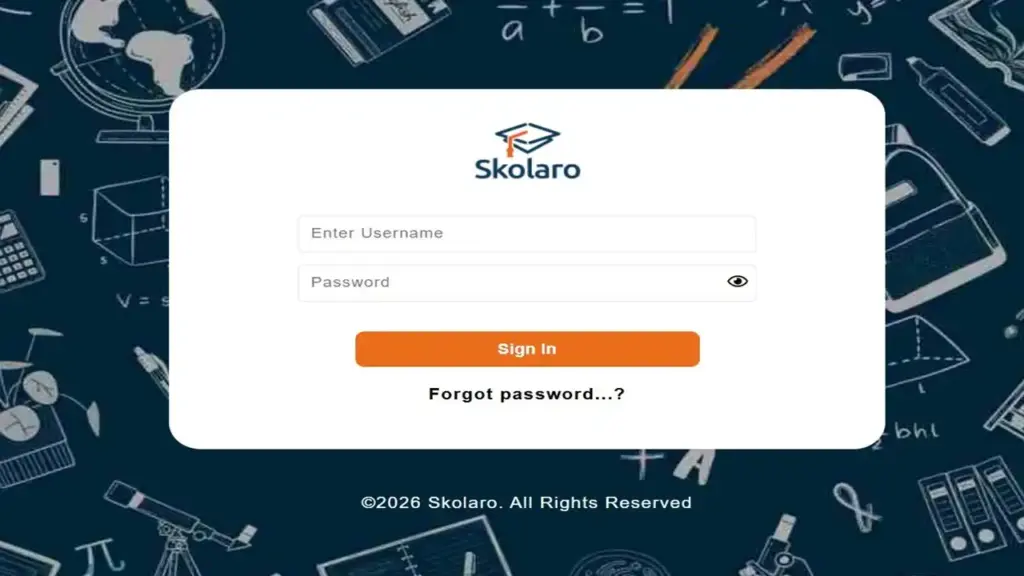
| 1 | Go to the official portal: https://apps.skolaro.com/ |
| 2 | Enter the User ID or email your school shared with you. |
| 3 | Type your password carefully, since it’s case-sensitive. |
| 4 | Click Sign In. |
| 5 | If your school uses a branded login page, you may also see “Login with OTP”, which lets you sign in with a one-time code instead. |
| 6 | Once inside, check your dashboard for feeds, attendance, homework and fees. |
What If You See an “Invalid” Error?
An “Invalid” message usually means a typo in your User ID or password. Check for extra spaces, caps lock or an old password saved in your browser.
If the error keeps appearing, contact your school office first. They manage your account and can reset credentials faster than anyone else.
How Do You Reset a Forgotten Password? (Step-by-Step)
Forgetting your password is common, and the fix is quick when it works. Here’s the official reset process:
| 1 | Visit the Forgot Password page: https://apps.skolaro.com/signup_pages/forgot_password.php |
| 2 | Enter your Skolaro User ID or registered email address. |
| 3 | Click Continue. |
| 4 | Check your email inbox for reset instructions, and don’t forget the spam folder. |
| 5 | Follow the link and create a new password with at least 6 characters, one number and one special character. |
| 6 | Return to the portal and sign in with your new password. |
What we found: Some users report that the reset email never arrives. If that happens, write to support@skolaro.com and include your school ID, since the company has said this helps them share new credentials.
What Should Parents Know About the Parent Portal?
The parent portal is where Skolaro really earns its place. Every parent gets a unique Skolaro login for both web and mobile.
Once inside, parents can view student information, report cards, timetables and exam schedules. You’ll also find online class details and various reports in one spot.
Our analysis suggests the multi-child view is a big win for families. If you have two or more kids in the same school, you can check each child’s attendance without logging out.
Here’s what parents can do in the portal:
- Track real-time updates about your child, as they happen
- View and download report cards and marks
- Check homework and published assignments
- Read school messages and attachments
- See fee schedules and payment history
How Does the Student Login Password Work?
Students also get a unique login for the web portal and the app. Your password is usually set by the school at first, so you may receive it from your class teacher or school office.
We strongly recommend changing that default passwordas soon as possible. Pick something strong but easy for you to remember.
Once signed in, students can:
- Take online tests set by teachers
- Submit assignments and view evaluated work
- See homework for each subject
- Join online classes and check the timetable
- Get recent school updatesinstantly
A quick safety note:Never share your student password with friends. If you think someone knows it, reset it right away using the Forgot Password page.
How Does Skolaro Fee Payment Work?
Online fee payment is one of the most used features we came across. Parents can view the fee schedule and pay their child’s fees directly in the portal.
After you pay, the system creates an automated payment receipt. You can view and download that receipt anytime from the parent portal.
Here’s the general flow parents can expect:
| 1 | Sign in to the parent portal on web or app. |
| 2 | Open the Fees section. |
| 3 | Review the fee schedule and any pending dues. |
| 4 | Choose the online payment option and complete the transaction. |
| 5 | Download the auto-generated receipt for your records. |
Our advice: Always save a copy of each receipt. If a payment shows as pending, contact your school accounts officebefore paying again.
Is the Skolaro Mobile App Worth Downloading?
The official Skolaro app comes from Buzzyears Inc on Google Play. It has more than 100K downloads and roughly 5.1K reviews.
You can download it here: https://play.google.com/store/apps/details?id=com.buzzyears.ibuzz&hl=en_US
The honest picture, though, is mixed. The app holds a 2.3-star rating, and many reviews mention login errors, slow password resets and a hard-to-navigate interface.
Our team observed one recurring complaint. Users say their Skolaro login suddenly showed “username invalid” after months of normal use, and the reset option returned an error.
The developer did push an update on October 2, 2026, listing performance improvements and bug fixes. Whether that solves the login problems is something we’ll keep watching.
What Does the App’s Data Safety Section Say?
According to the developer’s own data safety listing:
- No data is shared with third parties
- The app may collect personal info and photos and videos
- Data isn’t encrypted, as stated in the listing
- Data can’t be deleted, per the developer’s declaration
Parents should keep these points in mind. Use a strong password and avoid signing in on shared devices.
Does Your School Have Its Own Branded App?
Possibly. Buzzyears Inc publishes separate apps for schools like BVRTSE, PSBBLLA, PSBB Millennium School, Takshila School, The Millennium Schools and SRMD Divinetouch.
Ask your school office which app to install. Using the wrong one can cause login errors that aren’t your fault.
What Are the Quick Fixes When Login Fails?
Before you panic, try these simple stepsin order:
- Double-check your User ID and password for typos or extra spaces
- Clear your browser cache or update the app
- Try your school-specific login page if your school has one
- Use the Forgot Password page to reset your credentials
- Check your spam folder for reset emails
- Contact your school office for a fresh set of credentials
- Email support@skolaro.com with your school ID and username
Frequently Asked Questions
1. Can I create a Skolaro account on my own?
Usually not. During our test, the signup page showed an “not eligible to register” message, so your school typically provides your code or credentials.
2. What is the official Skolaro login page?
The main portal is https://apps.skolaro.com/. Some schools also use a branded page with an OTP login option.
3. What are the password rules on Skolaro?
Your password needs at least 6 characters. It must include one number and one special character, per the signup form.
4. I didn’t receive the password reset email. What now?
Check your spam folderfirst. If it’s not there, contact your school office or email support@skolaro.comwith your school ID.
5. Can parents pay school fees through Skolaro?
Yes. Parents can pay fees online in the portal, and an automated receipt appears right after payment.
6. Can one parent account show more than one child?
Yes. The platform lets parents view attendance history and current status for single or multiple children.
7. Is the Skolaro app available on Android?
Yes. The official Skolaro app by Buzzyears Inc is on Google Play, and some schools also have their own branded versions.
The Bottom Line
The Skolaro login system gives Indian families a single window into attendance, homework, report cards and fee payments. When it works, it genuinely saves time for busy parents.
Still, the 2.3-star app rating tells us there’s room to improve. Our advice is simple: keep your credentials safe, save every fee receipt, and reach out to your school officefirst whenever you get stuck.


