


If you handle expenditure files or budget entries for a central ministry, the gifmis login page is probably where your workday begins. Yet many first-time agency users tell us the same thing: the sign-in step feels more complicated than it should be. We looked into how the portal works, what trips people up, and how to get in without wasting an hour on password resets.
Important Insights
- The official portal sits at gifmis.cga.gov.in, run by the Controller General of Accounts (CGA) under India’s Ministry of Finance.
- GIFMIS stands for Government Integrated Financial Management Information System, and access is granted to authorized agency users — not the general public.
- Most gifmis login problems come down to two things: wrong credentials and browser or network restrictions on government systems.
What Is GIFMIS and Who Actually Uses It?
GIFMIS is a financial management platform tied to the wider Public Financial Management System (PFMS). It helps ministries and agencies manage budget allocation, accounting, and expenditure tracking in one place.
Our analysis suggests the system exists to reduce manual re-entry across departments. When budget, sanction, and payment data live in separate files, staff spend time reconciling inconsistencies. A single portal can help keep that data more consistent.
This is not a consumer service. Access is restricted to government agency users who have been onboarded by their department or by CGA.
If you’ve been following government finance digitization, this won’t come as a surprise. The trend has been toward centralized systems that connect ministries to a shared record.
Is the GIFMIS Portal Link Genuine?
We checked the official web address, and the working portal is https://gifmis.cga.gov.in/. This is the CGA-operated domain, and the .gov.in extension is a reliable signal of authenticity.
The dedicated sign-in page is:
https://gifmis.cga.gov.in/SitePages/Users/LoginDetails/Login.aspx
The password recovery page is:
https://gifmis.cga.gov.in/SitePages/Users/LoginDetails/RecoveryPassword.aspx
One caution from our team: never enter your gifmis login details on a link received by SMS or unofficial email. Government finance portals are a common target for phishing, so type the address yourself or use a saved official bookmark.
How Do You Register as a GIFMIS Agency User?
Here is where we need to be honest about how this works. GIFMIS registration is not open self-signup. You cannot simply create your own account the way you would on a retail site.
Instead, access is provisioned through your department’s administrator or the CGA onboarding process. The typical route looks like this:
| 1 | Confirm your eligibility. Your role must require access to budget, sanction, or accounting functions within a participating ministry or agency. |
| 2 | Contact your DDO or department admin. The Drawing and Disbursing Officer or nodal officer usually initiates the request. |
| 3 | Submit the required details. This generally includes your official email, designation, and agency code as specified by your department. |
| 4 | Wait for credential creation. The administrator or CGA creates your user ID and sends initial login details to your official email. |
| 5 | Activate on first sign-in. You will normally be asked to set a new password the first time you use the gifmis login page. |
If your request stalls, it is usually not a technical fault. It often means the mapping between your role and agency has not been fully approved yet.
How Do You Complete the GIFMIS Login Step by Step?
Once your credentials exist, the sign-in process itself is straightforward. Follow these steps:
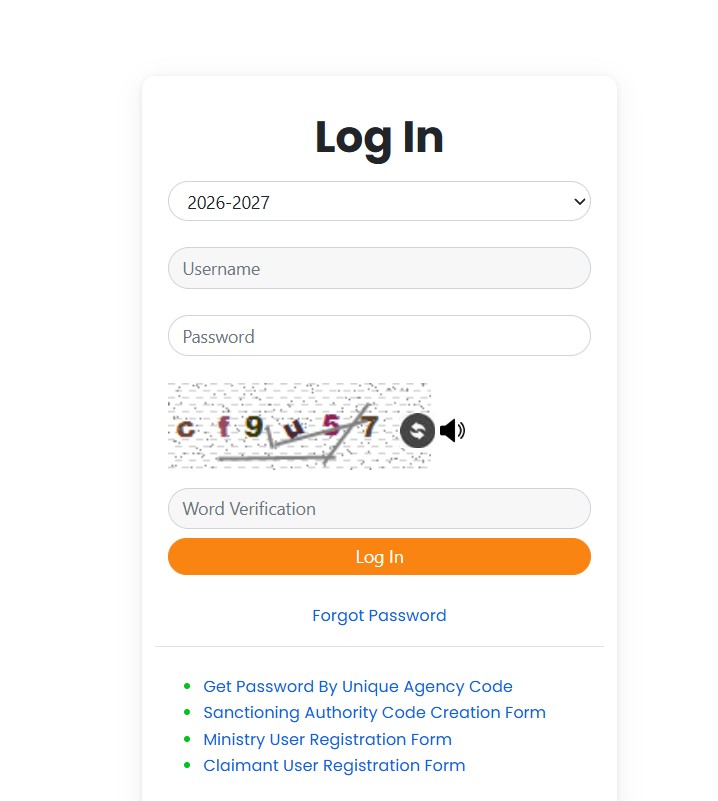
| 1 | Open a supported browser and go to gifmis.cga.gov.in. |
| 2 | Click the Login option, or go directly to the Login.aspx page listed above. |
| 3 | Enter your User ID exactly as issued by your department. |
| 4 | Type your password, keeping in mind that it is case-sensitive. |
| 5 | Enter the captcha or verification code shown on screen. |
| 6 | Enter the captcha or verification code shown on screen. |
A quick note our team observed: government networks sometimes block scripts or older browsers. If the page loads but the gifmis login button does nothing, switch browsers or check with your IT desk before assuming your account is broken.
What Should You Do If the GIFMIS Login Fails?
A failed sign-in is rarely one single problem. It may involve wrong credentials, an expired password, a locked account, or a network restriction on your office system.
Work through these checks first:
- Confirm your User ID. A single wrong character will reject the attempt.
- Check Caps Lock. Passwords here are case-sensitive.
- Refresh the captcha. These codes can expire if the page sits open too long.
- Clear your cache. Old session data can interfere with the gifmis login flow.
- Try a different network. Some restrictions are specific to your office LAN.
If none of that works, the issue is likely account-level, and a password reset is the next reasonable step.
How Do You Reset a Forgotten GIFMIS Password?
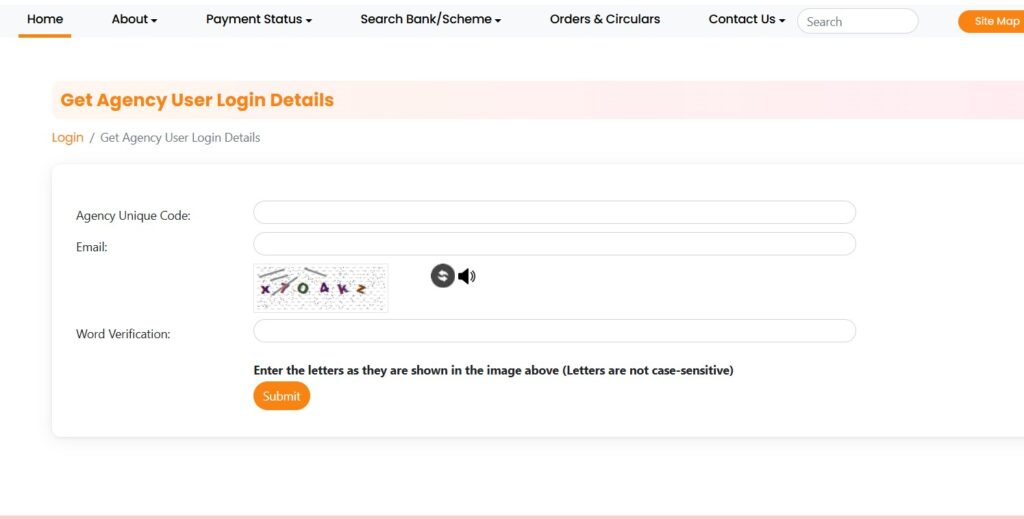
Forgetting a password is common, especially for users who log in only occasionally. The portal provides a recovery route so you do not have to raise a full support ticket every time.
Here is the general process:
| 1 | Go to the gifmis login page at Login.aspx. |
| 2 | Select the Forgot Password link, or open the RecoveryPassword.aspx page directly. |
| 3 | Enter your registered User ID or official email as prompted. |
| 4 | Complete the captcha verification. |
| 5 | Submit the form so the system can send a recovery message to your registered official email. |
| 6 | Open that email and follow the link to set a new password. |
| 7 | Return to the sign-in page and use your new credentials. |
One realistic limitation: the reset link goes to your registered official email, not a personal address. If you no longer have access to that inbox, you will need your department administrator to update your record first.
What Are the Main Features Behind the Login?
Once inside, agency users generally work with a set of financial functions. Exact menus depend on your role and department mapping.
Common capabilities include:
- Budget management and allocation tracking across schemes.
- Sanction and expenditure entry for authorized transactions.
- Accounting and reporting aligned with PFMS integration.
- Role-based dashboards that show only what your designation permits.
We should be clear here. Not every user sees every feature. Access is scoped to your role, which helps keep sensitive financial actions limited to the right people.
Our Honest Take on the GIFMIS Login Experience
Industry insiders are noting that centralized finance portals improve consistency but demand discipline from users. The gifmis login system reflects that tradeoff.
The sign-in itself is simple. The friction, when it appears, usually comes from onboarding delays, expired passwords, or restrictive office networks — not the login form.
Our advice is practical. Keep your official email active, bookmark the real portal, and route access issues through your department administrator rather than unofficial channels.
FAQs
Is the GIFMIS portal open to the public?
No. It is restricted to authorized government agency users. There is no public self-registration.
What is the official GIFMIS login website?
The genuine portal is gifmis.cga.gov.in, operated by the Controller General of Accounts. Always confirm the .gov.in address before entering credentials.
Can I create my own GIFMIS account?
Not directly. Your department administrator or DDO initiates the request, and credentials are issued to your official email.
Why does my GIFMIS login keep failing?
The most common causes are a wrong User ID, a case-sensitive password error, an expired captcha, or a network block on your office system.
How do I reset my GIFMIS password?
Use the Forgot Password link on the login page, enter your registered details, and follow the recovery email sent to your official inbox.
What if my recovery email is no longer active?
You will need your department administrator to update your registered email before a reset can work.
If your access is stuck at the onboarding stage, the clearest next step is to contact your department’s nodal officer and confirm your role-and-agency mapping has been approved.


