


Anyone trying to complete a business filing or insurance complaint in the Commonwealth has probably searched for the scc virginia login at least once and felt stuck. We get why. The State Corporation Commission (SCC) runs several separate portals, and each one has its own sign-in page. Our team mapped every login door so you know exactly which one you need.
The confusion is real, and industry insiders are noting the same pattern. People land on the wrong page, enter the right password, and still can’t get in. That is because the CIS system, the Case eFiling system, and the Consumer Portal are three different tools with three different accounts.
Summary Points
- The scc virginia login is not one page. It splits across CIS Online (business filings), Case eFiling (case documents), and the Consumer Portal (insurance complaints).
- Each portal needs its own separate account. A CIS login will not work on the eFiling or Consumer Portal.
- Every portal offers a Forgot Password link, and two of them let you create a new account directly from the sign-in screen.
Which SCC Portal Do You Actually Need?
Here is the fast answer. Your task decides your door.
- Starting or managing a business? Use CIS Online.
- Filing case documents with the Commission? Use Case eFiling.
- Filing an insurance complaint? Use the Consumer Portal.
Our analysis suggests most failed login attempts come from people using the right credentials on the wrong portal. Match the task to the tool first.
How Do You SCC Virginia Login Online?
The Clerk’s Information System (CIS) handles business registration, annual reports, and entity filings. This is the busiest scc virginia login by far.
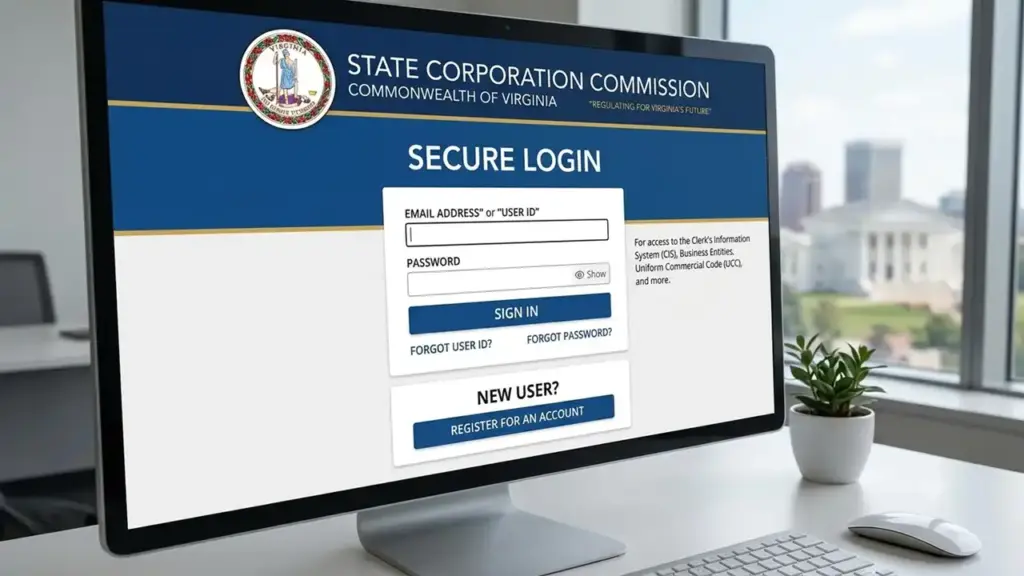
Head to the official CIS page: https://cis.scc.virginia.gov/Account/Login.
Login steps:
| 1 | Open the CIS login page using the official link. |
| 2 | Wait for the “Please wait…” loader to finish before proceeding. |
| 3 | Enter your registered email address in the username field. |
| 4 | Type your CIS password in the password field. |
| 5 | Click the Sign In button. |
| 6 | Access your CIS dashboard to file documents, make payments, or view your business records. |
If the loader hangs, refresh the page. We found that a slow connection often stalls this screen.
How Do You Sign In to the Case eFiling System?
The Case eFiling system lets you file a case document electronically, up to 100 pages per submission. The login page is here: https://www.scc.virginia.gov/clk/efiling/FilerLogin.aspx.
Login steps:
| 1 | Visit the Case eFiling Login page. |
| 2 | Enter the email address associated with your Case eFiling account. |
| 3 | Type your password in the Password field. |
| 4 | Submit the form to access the filing workspace. |
Once inside, the system walks you through uploading your document. Follow the upload rules closely to avoid rejection.
PDF upload recommendations from the SCC:
- Create the PDF directly from electronic documents rather than scanning hardcopy pages.
- Keep the file size under 100 MB. Check size by opening the PDF, clicking File, then Properties.
- Use a broadband or DSL connection for the upload.
Need help with a submission? Email Case_eFiling_Help@scc.virginia.gov.
What If You Forgot Your eFiling Password?
Click the Forgot Your Password? link on the login page: https://www.scc.virginia.gov/clk/efiling/ForgotPassword.aspx.
| 1 | Select the “Forgot Your Password?” option below the sign-in fields. |
| 2 | Enter the email address associated with your eFiling account. |
| 3 | Submit the form and check your inbox for the password reset instructions. |
How Do You Access the Virginia Consumer Portal?
The Consumer Portal is where you file an insurance complaint with the Bureau of Insurance.
Access it here: https://gov.sircon.com/portalAccess.do?service=consumerPortal.
Login steps:
| 1 | Open the Consumer Portal login page. |
| 2 | Enter your e-mail address in the first field. |
| 3 | Type your portal password in the second field. |
| 4 | Click the Submit button to access your complaint dashboard. |
How Do You Create a Consumer Portal Account (Signup)?
First-time users need to build an account before anything else.

| 1 | On the login page, click the Create Account link. |
| 2 | Complete the registration form with your personal details. |
| 3 | Set a strong, secure password that you can easily remember. |
| 4 | Confirm your email address to activate your account. |
| 5 | Return to the login page and sign in using your new credentials. |
Two important notes apply here. Health care providers must complete the Provider Complaint Form and upload it with supporting documents.
If you are not the insured person, the covered person must complete, sign, and upload the Authorization form before the Bureau releases information.
What Is the Forgot Password Step for the Consumer Portal?
| 1 | Click the “Forgot Password?” link on the login screen. |
| 2 | Enter the email address associated with your account. |
| 3 | Follow the password reset link sent to your inbox to create a new password. |
Questions about this portal go to BOIAutomatedSystems@scc.virginia.gov.
What Does the Main SCC Website Cover?
The hub for every service is https://www.scc.virginia.gov/. If you are unsure which portal you need, start here.
The main site groups its services into five clear sections:
| Consumers | File a complaint, submit public comments, and read insurance information. |
| Businesses | Reach CIS FAQs, create a new business, and view Forms & Fees. |
| Insurance Information | Resources for agents, agencies, and companies. |
| Financial Professionals | Links for financial institutions and securities. |
| Cases | File testimony, watch hearing webcasts, and search for a case. |
Our team observed that the homepage carousel also points to CIS Online directly. That shortcut saves a step for business owners.
FAQs
Is the scc virginia login the same for every service?
No. CIS, eFiling, and the Consumer Portal each use separate accounts. One password does not carry across all three.
Which login do I use to register a business?
Use CIS Online at cis.scc.virginia.gov. That is the business filing system.
What is the file size limit for Case eFiling?
Keep submissions under 100 MB and no more than 100 pages per document.
How do I reset a forgotten password?
Each portal has its own Forgot Password link on the sign-in page. Enter your email and follow the reset email.
Do I need an account to file an insurance complaint?
Yes. Click Create Account on the Consumer Portal, then log in. Providers and non-insured filers must also upload the correct form.
Where should I start if I am confused?
Begin at the main SCC site, scc.virginia.gov, and pick the section that matches your task.


