


If you have been hunting for the brokerbay login page and ended up on a screen called Supra One, you are in the right place. BrokerBay is now Supra One, a Honeywell company, and the same account still runs the platform.
We found that the brokerbay login portal lives at auth.brokerbay.com, even though the screen now reads Supra One.
Our analysis suggests many agents are stuck at this exact step, so we mapped out every process for you.
Main Highlights
- The brokerbay login page sits at auth.brokerbay.com and signs you into the Supra One dashboard.
- Signup starts with your member ID and your Association/MLS Name at the onboarding page.
- Forgot your password? The system emails you a recovery link in seconds.
Why Did BrokerBay Become Supra One?
Honeywell now owns the product, and the name on screen reflects that.
The tools did not disappear — they moved under one roof.
Industry insiders are noting that showing management, scheduling, and lockbox access now sit inside Supra One.
We confirmed this on the official sign-in page, which reads “Sign in to Supra One” while keeping the brokerbay login web address the same.
BrokerBay Sign Up For A Account?
Signup is short, and it starts with your professional credentials. You need your member ID and your local Association or MLS name ready.
Here is exactly how we completed it:
| 1 | Open the onboarding page. |
| 2 | Choose your country (US or Canada). |
| 3 | Select your Association / MLS Name from the dropdown menu. |
| 4 | Enter your member number or ID. |
| 5 | Click Next to confirm your details. |
Your board decides which features you can reach, so availability varies by region.
What if your member ID isn’t found?
Sometimes the system cannot match your ID to its database, and that stops many agents cold.
When that happens, the screen shows a “Contact our sales team” form.
You fill in your name, email, brokerage, and board details, then click Contact Sales.
You can also email sales@brokerbay.com directly to get access.
How Do You Complete The BrokerBay Login?
The brokerbay login is the step you repeat most, and it takes under a minute.
We tested the flow and confirmed each screen.
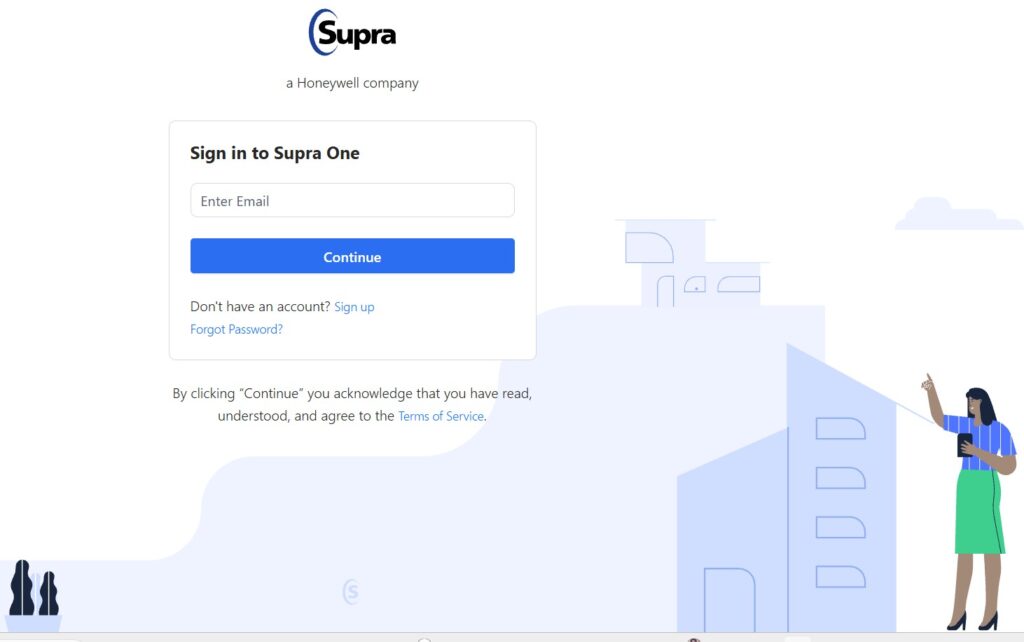
| 1 | Open auth.brokerbay.com in your web browser. |
| 2 | Enter your registered email address. |
| 3 | Click Continue. |
| 4 | Type your password on the next screen. |
| 5 | Select Continue to access your Supra One dashboard. |
Bookmark the login page so you never chase the correct address again.
By clicking Continue, you agree to the platform’s Terms of Service, linked on the page.
What If You Forgot Your BrokerBay Password?
A locked account should never stall your showings, and recovery is quick.
The brokerbay login system emails you a secure link to reset it.
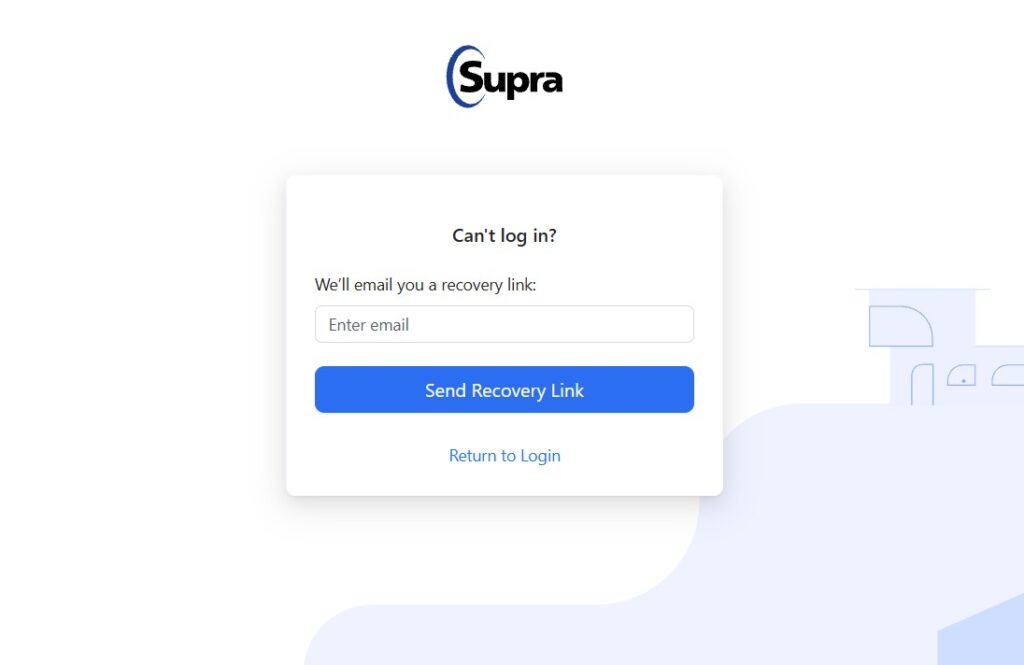
| 1 | Visit the password recovery page. |
| 2 | Enter the email address linked to your account. |
| 3 | Click Send Recovery Link. |
| 4 | Open the recovery email and follow the password reset link. |
| 5 | Select Return to Login after saving your new password. |
That single link is all you need to get back in.
What can you do inside Supra One?
We reviewed the feature set so you know what your brokerbay login opens.
Pros:
- Digital key for Supra lockbox access.
- Showing management and scheduling in one place.
- Managed access for non-members.
- Showing insights, analytics, and Smart Offers.
- Live concierge and an appointment scheduling desk.
Cons:
- Some users report frequent re-login prompts on the mobile app.
- App store ratings currently sit low over performance complaints.
- Feature availability depends on your local board.
Is there a mobile app for BrokerBay?
Yes, and the app carries the Supra One name now.
You can install it from Google Play or the Apple App Store.
The same credentials work across both web and mobile.
Where do you get official support?
We point you to Honeywell’s own channels, not third-party help.
You can browse Supra articles on the technical solutions page. For downloads and training, the Support Center covers it.
FAQs
Is BrokerBay the same as Supra One?
Yes. BrokerBay is now Supra One, a Honeywell company.
Where is the BrokerBay login page?
It is at auth.brokerbay.com.
What if my member ID isn’t recognized?
Use the Contact Sales form or email sales@brokerbay.com.
Is there a mobile app?
Yes, on both Google Play and the Apple App Store.


