


The iLinkBlue login is the daily gateway that thousands of Louisiana healthcare providers use to check eligibility, file claims, and track payments. We spent time inside the official Louisiana Blue provider portal to map out exactly how it works.
Our analysis suggests that most access problems come down to three things: an incomplete enrollment, a skipped MFA step, or an expired password.
This report walks you through the iLinkBlue login process from start to finish, backed by the details published in the official user guide.
Key Takeaways
- You cannot self-register for iLinkBlue — an administrative representative at your organization must enroll you first.
- Every iLinkBlue login now requires multi-factor authentication through PingID, using email, SMS, voice, or the mobile app.
- Passwords expire every 180 days, and accounts untouched for 180 days lock automatically.
What is iLinkBlue and who uses it?
iLinkBlue is Louisiana Blue’s secure online tool built specifically for healthcare providers. It handles eligibility verification, claims filing, payment queries, authorizations, and medical policy searches in one place.
The service is free to enrolled provider organizations. You can view the public landing page at ilinkblue.lablue.com.
Industry insiders are noting that the portal has become a single point of access for most provider tasks.
That matters because Louisiana Blue’s Customer Care Center no longer assists with certain functions, like professional allowable charge lookups.
What can you actually do after the iLinkBlue login?
We reviewed the full feature set so you know what the portal covers before you sign in.
Here is what iLinkBlue gives you access to:
- Coverage and eligibility — check member status, deductibles, copays, and benefit details.
- Claims research — review paid, rejected, and pended claims, plus submit action requests.
- Claims entry — file professional CMS-1500 claims directly through the portal.
- Payments — view two years of payment registers and EFT notifications.
- Authorizations — submit and track authorization requests for Louisiana Blue members.
- Medical policies — search commercial and Medicare policy indexes, the only self-service route available.
Every one of these tools sits behind the iLinkBlue login, so account access is the first thing to get right.
iLinkBlue Sign up?
You cannot create your own account. Enrollment runs through your organization’s administrative representative, who grants individual staff access.
If you’ve been following how Louisiana Blue manages provider security, this won’t come as a surprise.
Here are the steps to enroll a new organization:
- Designate an administrative representative — at least one, though Louisiana Blue recommends more than one.
- Complete the iLinkBlue agreement packet, which includes the Service Agreement, the Business Associate Addendum if a billing agency is involved, and the Administrative Representative Registration Packet.
- Submit an EFT Enrollment Form if your organization is not already set up for electronic funds transfer.
Once the administrative representative is registered, Louisiana Blue sends a welcome email.
From there, that representative uses the Delegated Access application to add each staff member.
Every new user receives an email confirming their account was created.
We found one detail worth flagging: check your spam folder. The account setup email sometimes lands there, and users often assume enrollment failed when it didn’t.
A Complete The iLinkBlue login?
The iLinkBlue login itself is straightforward once your account exists.
You can use Safari, Google Chrome, Microsoft Edge, or Firefox.
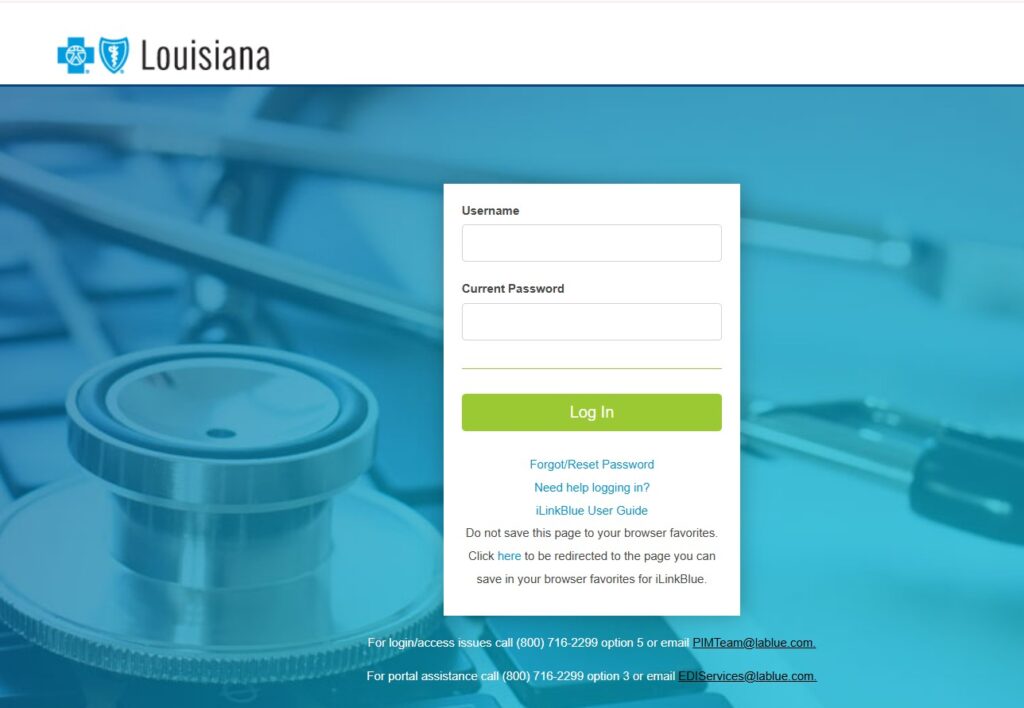
Follow these steps to sign in:
- Go to the login page at ilinkblue.lablue.com/Dashboard/Welcome.
- Enter your Username — this is the work email address tied to your account.
- Enter your Current Password and click Log In.
- Complete the multi-factor authentication prompt through PingID.
The MFA step is required, not optional. When you sign in, PingID sends a passcode to your registered method, and you enter it to confirm your identity.
The secure authorization request routes through Louisiana Blue’s single sign-on system.
We recommend registering two or more MFA methods. The best setup pairs email with at least one of SMS text, a voice call, or the PingID mobile app.
That way, if one method fails, you still have a backup for account recovery.
Forget your iLinkBlue password?
A forgotten password is the most common reason an iLinkBlue login fails. The reset process is built right into the login screen, so you can fix it yourself.
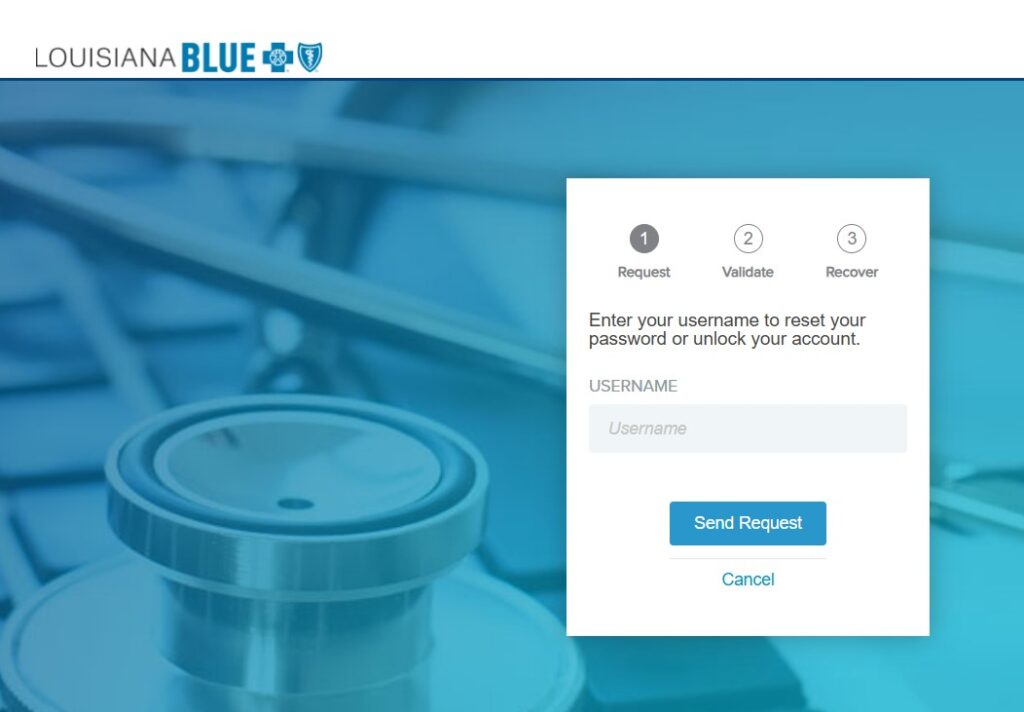
Here is how to reset your password:
| 1 | Click Forgot/Reset Password on the iLinkBlue login screen. |
| 2 | Enter your Username and click the Request Password button. |
| 3 | Check your registered email for the password reset message. |
| 4 | Open the reset link in the email and follow the prompts to create a new password. |
Your new password must meet strict rules. It needs eight characters and must include a number, an uppercase letter, a lowercase letter, and one special character from ~!@#$%^&.
Do not use your browser’s password manager to store it.
The same steps apply to your very first login, when no password is set yet.
You can begin the reset flow at the Louisiana Blue password reset page.
Why does the iLinkBlue login keep locking you out?
Three successive wrong password entries will lock your account. Passwords also expire every 180 days, and you can reset an expired one yourself using the steps above.
There is one more trap worth naming directly. Accounts sit unused for 180 days get locked for inactivity, and that fix is not self-service.
A locked user must contact their administrative representative, who deactivates the old account and creates a new one.
We also observed that the portal logs you out after 15 minutes of inactivity. If you stop mid-claim to look up a code, you may get bounced back to the iLinkBlue login screen and lose unsaved work.
Where can you get official help?
For login or access issues, call (800) 716-2299, option 5, or email PIMTeam@lablue.com. For portal or technical support, call (800) 716-2299, option 3, or email EDIServices@lablue.com.
We recommend keeping the full iLinkBlue User Guide handy. It documents every step for signup, login, and password recovery in one official reference.
The bottom line for Louisiana providers
The iLinkBlue login rewards a little upfront preparation. Get your administrative representative enrolled, register more than one MFA method, and log in at least once every few months to keep your account active.
Do that, and the portal stays open exactly when you need it.
Bookmark the correct address — ilinkblue.lablue.com — and you’ll always know where your iLinkBlue login starts.


